1. Downloading PCSX2, P3HD, Aemulus, and 7-Zip#
1.1. PCSX2#
Click the Latest PCSX2 Nightly Build under Requirements, or click
here.
Click “Latest Nightly”
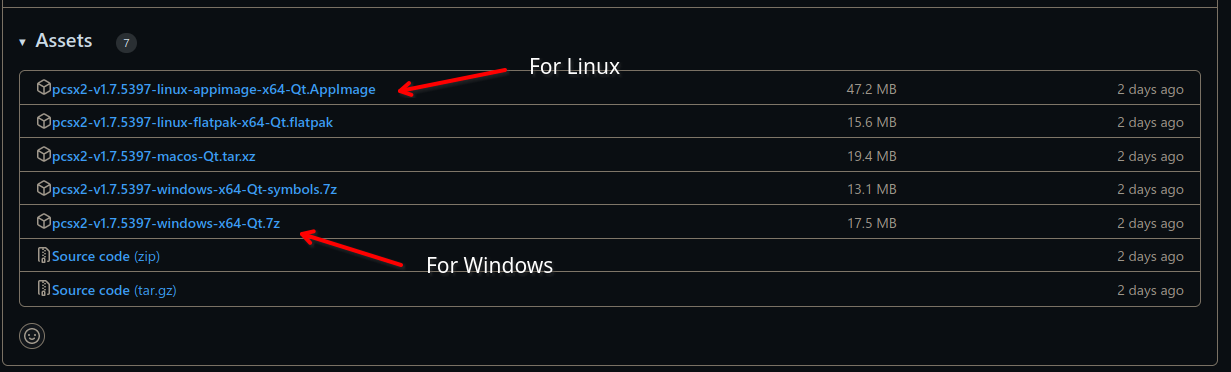
Then click the version that matches your OS. For most people this will be the first option for Windows. For Linux you will want the one ending in Appimage.
1.2. Persona 3 FES: HD Overhaul#
Click Persona 3 HD under Requirements, or click here.
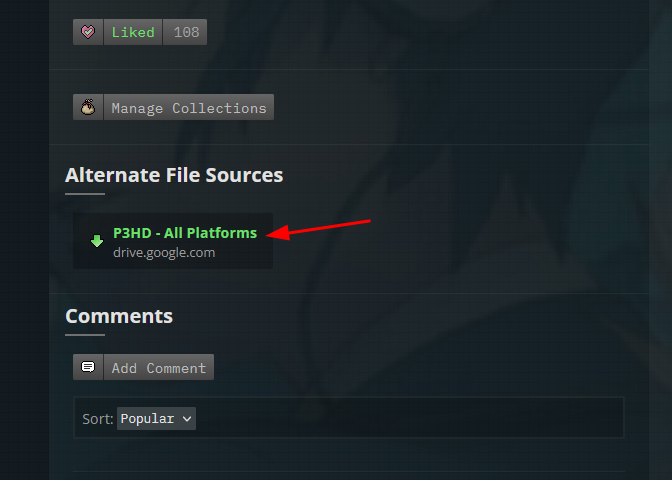
Scroll down to Alternate File Sources.
Click “P3HD – All Platforms.”
1.3. Aemulus#
Click Latest Aemulus Release under Requirements, or click here.
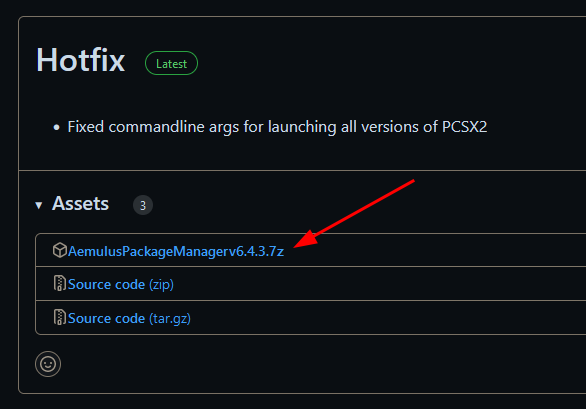
Find the first “Assets” header and click to expand it
Then grab the item named “AemulusPackageManagervx.x.x.7z.”

1.4. 7-Zip#
Click 7-Zip under Requirements, or click here.
Select the 64-bit Windows x64 “Download” option.
